
A home theater can be as simple as a TV and a soundbar, or as ambitious as a dedicated room with a projector. Either way, the same four things matter most: the screen, the sound, the seating, and the room. Get those right, and a modest setup feels special. This guide gives you the plan in the order that tends to save money.
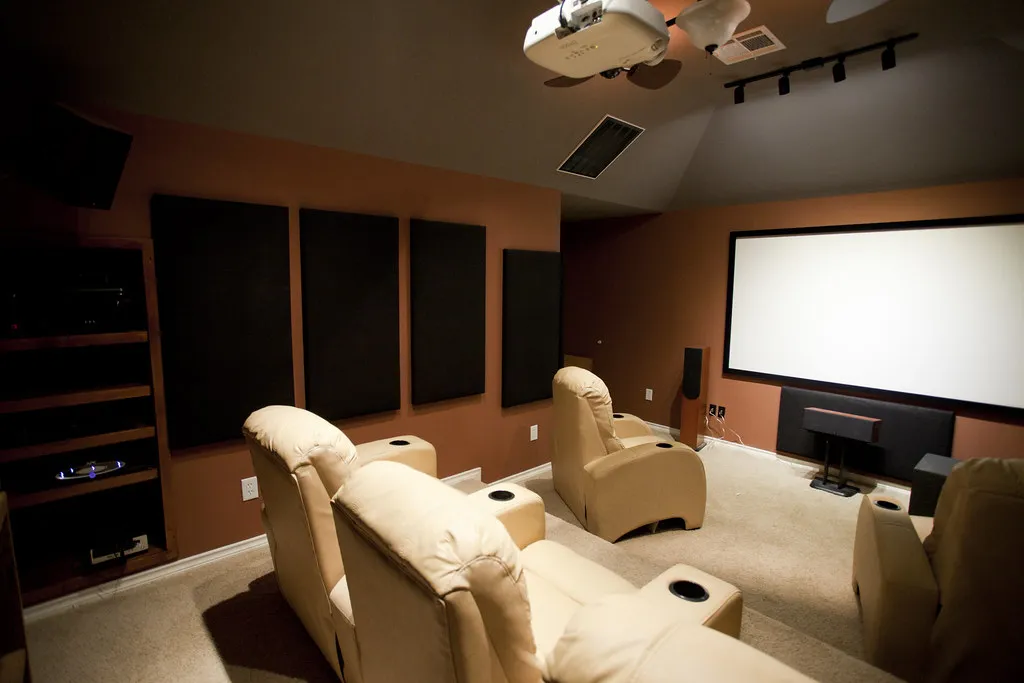
Start with the room
Before you buy anything, look at the space. Measure the room and note where windows, doors, and outlets are. Light is the enemy of picture quality, so rooms with a lot of daylight favor a bright TV over a projector. A room that can be darkened is more flexible. Walls and furniture affect sound. Hard surfaces reflect sound, and soft ones absorb it. Rugs, curtains, and upholstered furniture help control echoes.
Choose the screen
You have two main options: a TV or a projector. TVs are bright, simple, and good in daylight. Projectors can create a much larger image for the money, but need a dim room, a surface, and a place to mount or sit. See projector vs TV for a full comparison.
For TVs, buy the biggest size that suits your seating distance and budget. A common rule of thumb is that sitting closer, within about one to two times the screen width, feels more immersive, though preferences vary. For projectors, look at brightness, resolution, and throw distance on the maker’s page, and consider a screen. See how to choose a projector screen.
Add sound
Sound is half the experience. TV speakers are thin and often make dialogue hard to understand. A soundbar is the easiest upgrade, with a single bar under the screen. Some soundbars add wireless speakers or a subwoofer. Sonos says the Ray is a compact soundbar built for TV, and the Bluesound PULSE CINEMA MINI is a compact soundbar with Dolby Atmos support, per Bluesound. See the soundbar buying guide and Dolby Atmos explained.
Arrange the seating
Place the main seats at a comfortable distance and angle from the screen, ideally centered. Make sure everyone can see. Recliners and sectionals are popular, but a sofa with floor cushions works well. Leave walking space so people do not trip in the dark. See movie night comfort setup.
Control the light
Block windows with curtains or blackout shades if you can. Use dimmable lamps or bias lighting behind the TV, which can reduce eye strain. Avoid lights that reflect off the screen. If you use a projector, lighting is even more important, and painting walls a darker color can improve contrast.
Pick a source
Streaming devices connect your TV to apps. See choosing a streaming device. Disc players, game consoles, and set-top boxes can plug in too. Make sure your TV has enough HDMI inputs, and check which ports support the features you want.
Tune the picture
Many TVs ship with a vivid mode that looks too bright and saturated. Switching to a movie or cinema mode usually gives a more accurate picture. See TV picture settings for movies.
Manage the cables
Messy cables look bad and can be a hazard. Use cable ties, sleeves, or raceways. Label the ends. Use a surge protector. Make sure cables are rated for the features you need, especially HDMI cables for 4K signals.
Plan for the future
Choose gear with room to grow. An HDMI-eARC port lets you send high-quality sound to a soundbar or receiver. Wi-Fi 6 helps streaming. You can add a subwoofer or rear speakers later.
Budget plan
- Screen: spend the most here.
- Sound: a soundbar is a big upgrade for a small cost.
- Source: a streaming device if your TV is not smart enough.
- Seating and light: cheap fixes make a big difference.
- Extras: popcorn machine, blankets, and shelves.
Common mistakes
- Buying a big screen but ignoring sound.
- Placing a TV opposite a bright window.
- Leaving the TV in vivid mode.
- Buying too many components at once.
- Ignoring the room’s acoustics.
The takeaway
Start with the room, choose the screen, upgrade the sound, and fix seating and light. See our researched top-10 list for gear with links to official pages. For a party, see how to host a movie night.